PATCH — Partial Update of a Resource
The PATCH operation allows you to modify specific fields of an existing resource without sending the entire document. Couchbase FHIR CE implements FHIR’s JSON Patch format, based on RFC 6902, with adaptations for FHIR resource structures.
Endpoint
PATCH /fhir/<bucket>/<resourceType>/<id>
Example
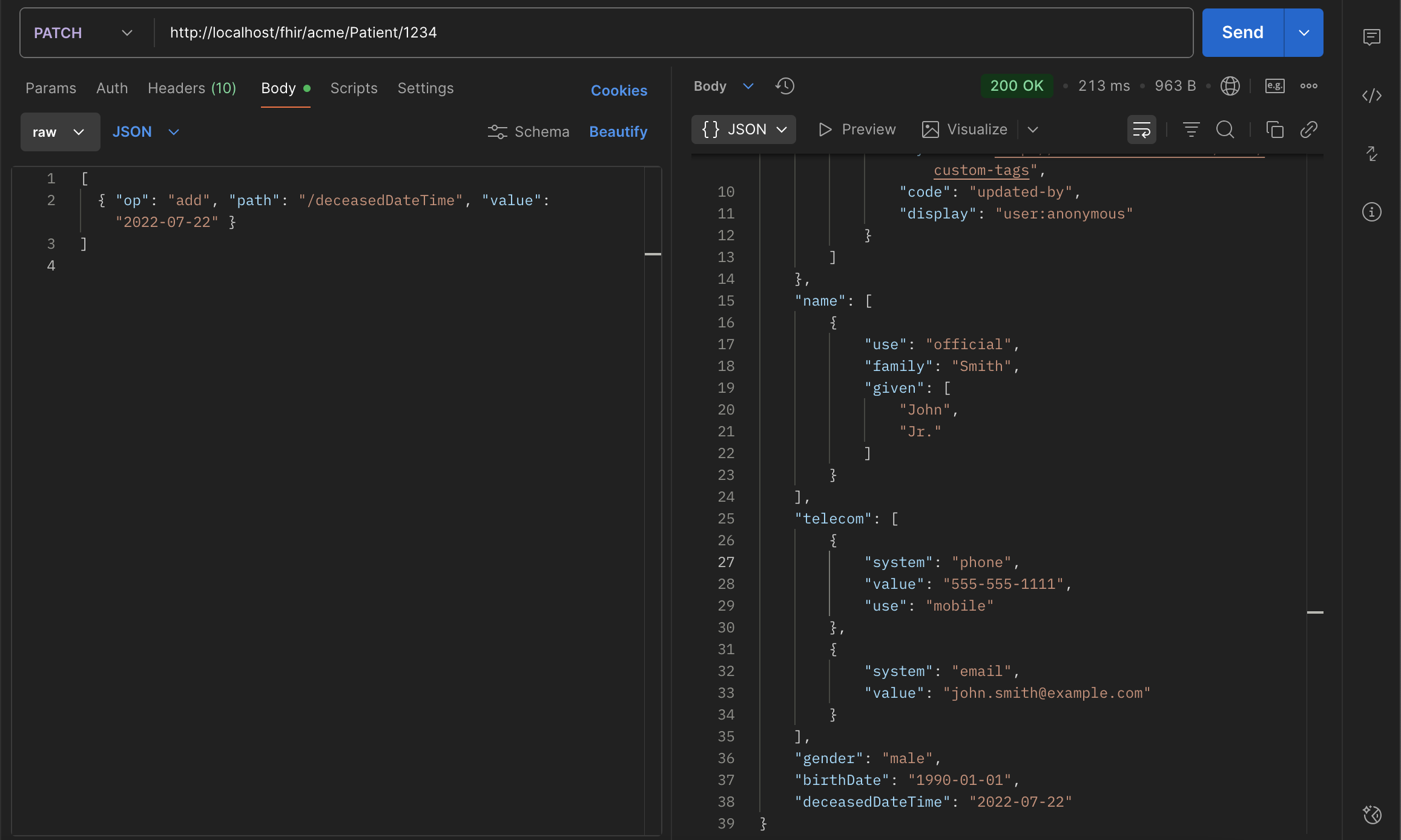
Update Patient/1234 to add a deceasedDateTime: PATCH http://localhost/fhir/acme/Patient/1234
[{ "op": "add", "path": "/deceasedDateTime", "value": "2022-07-22" }]
Server Response
Response: 200 OK The updated resource now includes:
"deceasedDateTime": "2022-07-22",
"meta": {
  "versionId": "3",
  "lastUpdated": "2025-10-08T23:41:35.194+00:00",
  "tag": [
    {
      "system": "http://couchbase.fhir.com/fhir/custom-tags",
      "code": "updated-by",
      "display": "user:anonymous"
    }
  ]
}
Behavior and Server Logic
PATCH is idempotent per operation list — applying the same patch twice yields the same result.
Server wraps the operation in a transaction:
Begin transaction
  Load current Patient/1234
  Apply each operation in order
  Save the updated resource
  Copy old version into Versions collection
  Increment meta.versionId
  Update meta.lastUpdated
  Add updated-by tag
Commit transaction
Validation rules (Strict / Lenient / Disabled) are applied to the final resource after patching.
metadata after patch
| Field | Description |
|---|---|
versionId | Incremented automatically |
lastUpdated | Timestamp of this update |
tag | updated-by audit tag |
profile | Preserved from previous version |
Common Patch Operations
| op | Description | Example Usage |
|---|---|---|
add | Adds a new value (or inserts into an array) | { "op": "add", "path": "/deceasedDateTime", "value": "2022-07-22" } |
replace | Replaces the value at the specified path | { "op": "replace", "path": "/name/0/family", "value": "Johnson" } |
remove | Removes the value at the specified path | { "op": "remove", "path": "/address/0" } |
copy | Copies a value from one path to another | { "op": "copy", "from": "/name/0", "path": "/alias/0" } |
move | Moves a value from one path to another | { "op": "move", "from": "/contact/0", "path": "/contact/1" } |
test | Asserts a value matches before continuing | { "op": "test", "path": "/deceasedBoolean", "value": false } |
Data Storage & Versioning
- Updated resource replaces the existing document in its collection (Resources.Patient)
- Previous version stored in Resources.Versions
- FTS index is refreshed with new content
When to Use PATCH
Use PATCH when:
- You want to update specific fields only
- You want to avoid sending or reconstructing the entire resource
- You need atomic, targeted changes with full versioning
Use PUT when:
- You’re replacing the entire resource body
- You want to reset the resource to a known state
Best Practices
- Always specify the full JSON Pointer path (e.g., /telecom/1/value)
- Ensure your path exists for replace, or use add for new fields
- Validate with Strict mode in production to catch invalid structures
- Remember that arrays are zero-indexed
Summary
- PATCH = partial update (RFC 6902)
- Server ensures transactional safety and version history
- versionId increments; old version archived
- Fast, lightweight, and ideal for incremental updates
- Fully FHIR R4-compliant